PostgreSQL
What is PostgreSQL?
PostgreSQL is a powerful, open-source object-relational database management system (ORDBMS). Like MySQL, PostgreSQL runs as a dedicated server and is designed for large-scale, multi-user applications. It supports advanced SQL features, strong data integrity, and high concurrency.
PostgreSQL is commonly used in backend systems, enterprise applications, and data-intensive services where reliability, performance, and scalability are critical. PostgreSQL focuses on strict standards compliance and advanced features, while MySQL prioritizes simplicity, speed, and ease of use for common web applications.
Syntax
If you already know MySQL, PostgreSQL will feel familiar (most statements work similarly). Key differences include:
- Strong data typing: columns enforce declared data types.
- Auto-increment is handled using
SERIALorGENERATED AS IDENTITY. - Advanced features such as
JSONB,CTEs, window functions, and custom types. - Full support for transactions, constraints, and indexes.
Setup
PostgreSQL requires a running server. It can be installed locally from the official website or via a package manager. During installation, a default user and database are created. After installation, we connect to PostgreSQL using credentials (host, port, database name, user, and password).
pgAdmin is a graphical administration and management tool for PostgreSQL. It provides a user-friendly interface for connecting to PostgreSQL servers, creating and modifying databases, running SQL queries, and managing users and permissions. Of course, we can also use the terminal.
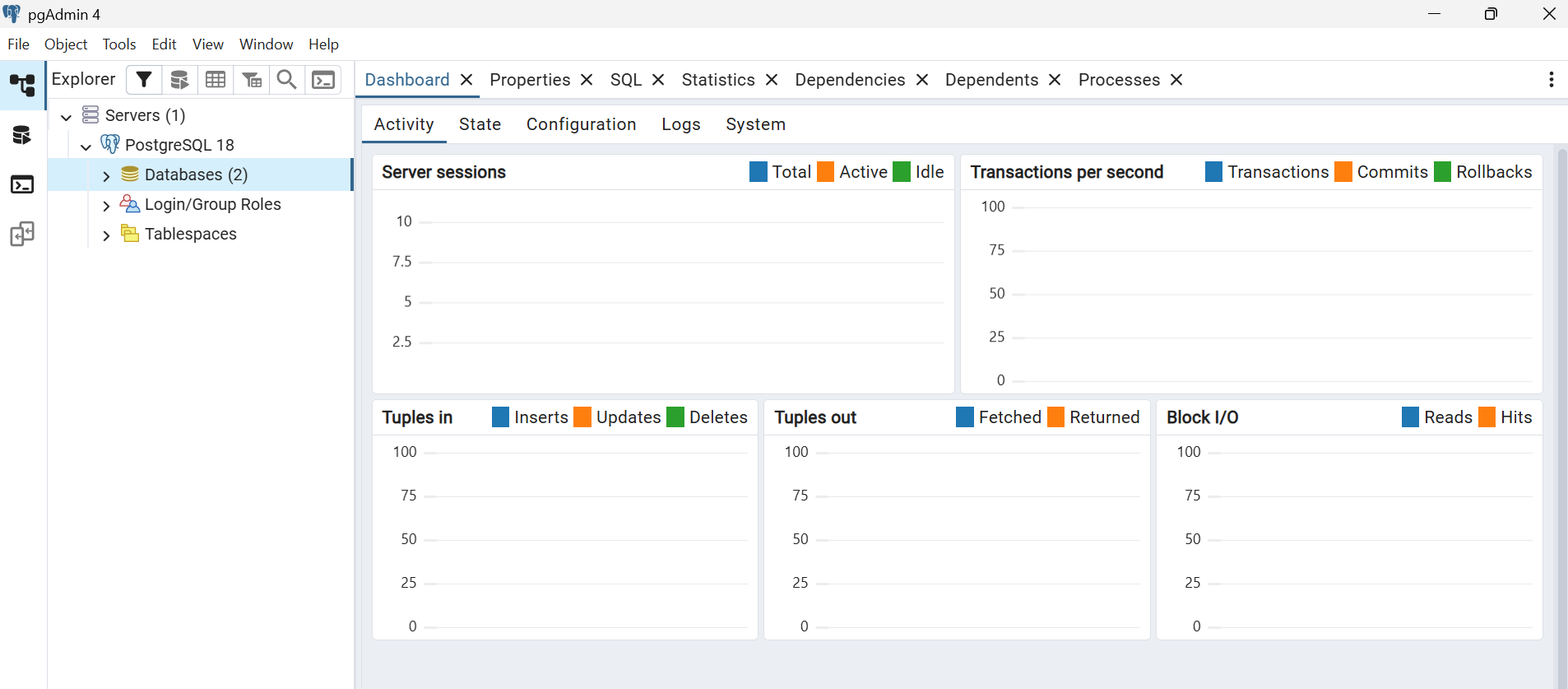
For the examples below to work, a previously created database is required. We can do it most easily in pgAdmin by right-clicking PostgreSQL in the tree on the left, and then: Create/Database.
Python implementation
PostgreSQL can be used in Python via the psycopg2 module. A PostgreSQL server must be running locally or remotely before connecting.
import psycopg2

# Connecting to the database (make sure database "dbtest" exists)
conn = psycopg2.connect(
    dbname="dbtest",
    user="postgres",
    password="",
    host="localhost",
    port=5432
)
cursor = conn.cursor() # creating a cursor object to execute SQL statements

# Creating a table
cursor.execute("""
CREATE TABLE IF NOT EXISTS users (
    id SERIAL PRIMARY KEY,
    name TEXT,
    age INTEGER
)
""")

# Inserting data
cursor.execute("INSERT INTO users (name, age) VALUES (%s, %s)", ("Alice", 30))
cursor.execute("INSERT INTO users (name, age) VALUES (%s, %s)", ("Bob", 25))

conn.commit() # committing changes

# Querying data
cursor.execute("SELECT * FROM users")
rows = cursor.fetchall()
for row in rows:
    print(row)

# Closing connections
cursor.close()
conn.close()
Java implementation
In Java, PostgreSQL is accessed using JDBC (Java Database Connectivity). We need to download the JDBC driver for PostgreSQL and add it to the project's dependencies (in IntelliJ, enter File/Project Structure/Libraries/+ and select the downloaded JAR file). A PostgreSQL server must be running locally or remotely before connecting.
import java.sql.Connection;
import java.sql.DriverManager;
import java.sql.ResultSet;
import java.sql.Statement;

public class Main {
    public static void main(String[] args) {
        String url = "jdbc:postgresql://localhost:5432/dbtest";
        String user = "postgres";
        String password = "";

        try {
            Connection conn = DriverManager.getConnection(url, user, password); // connecting to the database (make sure database "dbtest" exists)
            Statement stmt = conn.createStatement(); // creating a statement object to execute SQL queries
            stmt.execute("CREATE TABLE IF NOT EXISTS users (id SERIAL PRIMARY KEY, name TEXT, age INTEGER)"); // creating a table

            // Inserting data
            stmt.executeUpdate("INSERT INTO users (name, age) VALUES ('Alice', 30)");
            stmt.executeUpdate("INSERT INTO users (name, age) VALUES ('Bob', 25)");

            // Querying data
            ResultSet rs = stmt.executeQuery("SELECT * FROM users");
            while (rs.next())
                System.out.println(rs.getInt("id") + " " + rs.getString("name") + " " + rs.getInt("age"));

            conn.close(); // closing the connection
        } catch (Exception e) {
            e.printStackTrace();
        }
    }
}